How DEFECTED works, from the ring to the engineer.
Crews record tunnel defect repairs on their phones, offline underground. Nothing is closed until an engineer has checked the evidence and validated it. This page walks through the workflow step by step, then shows the app in screen recordings.
Underground: the crew
Three steps on the phone, at the defect.
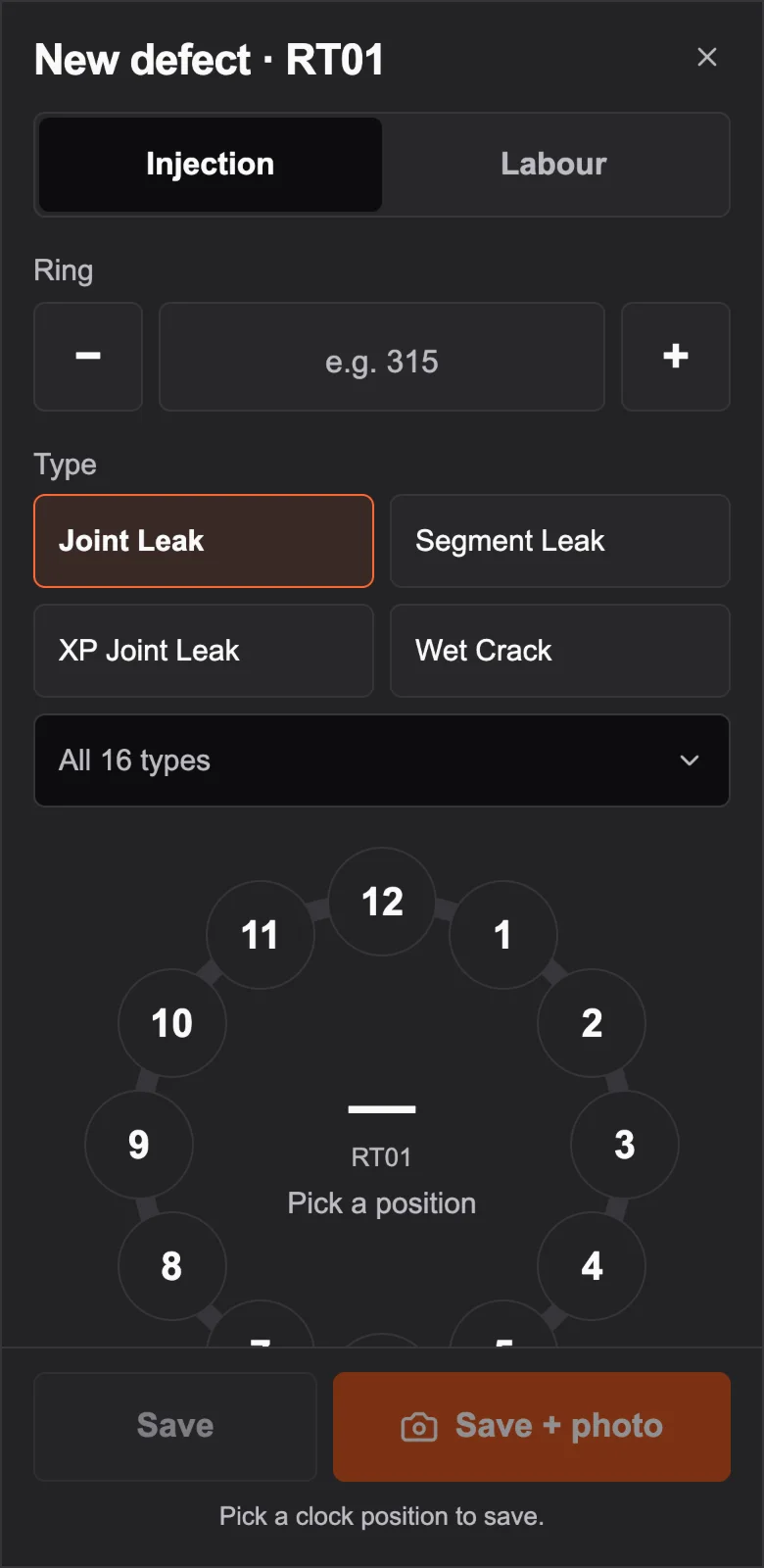
1. Logged at the ring
The crew picks the work stream (injection or labour), the ring, the defect type, and taps its position on a clock face. It works with no signal and syncs when the phone finds one.
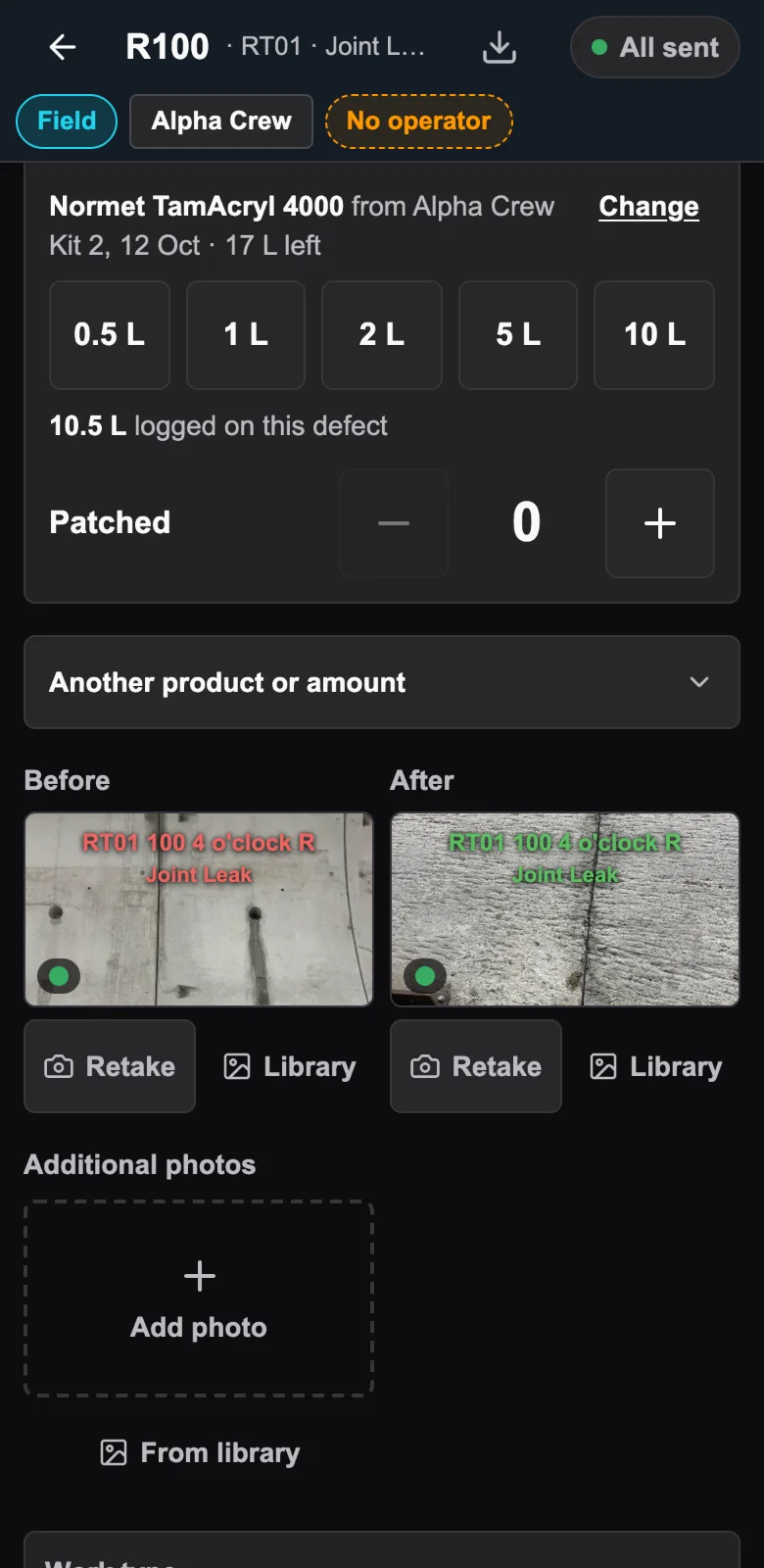
2. Injection recorded as it happens
Packers installed, injected and patched are counted on the defect. Product is drawn from a kit, so the litres go on the record with the product and its batch number.
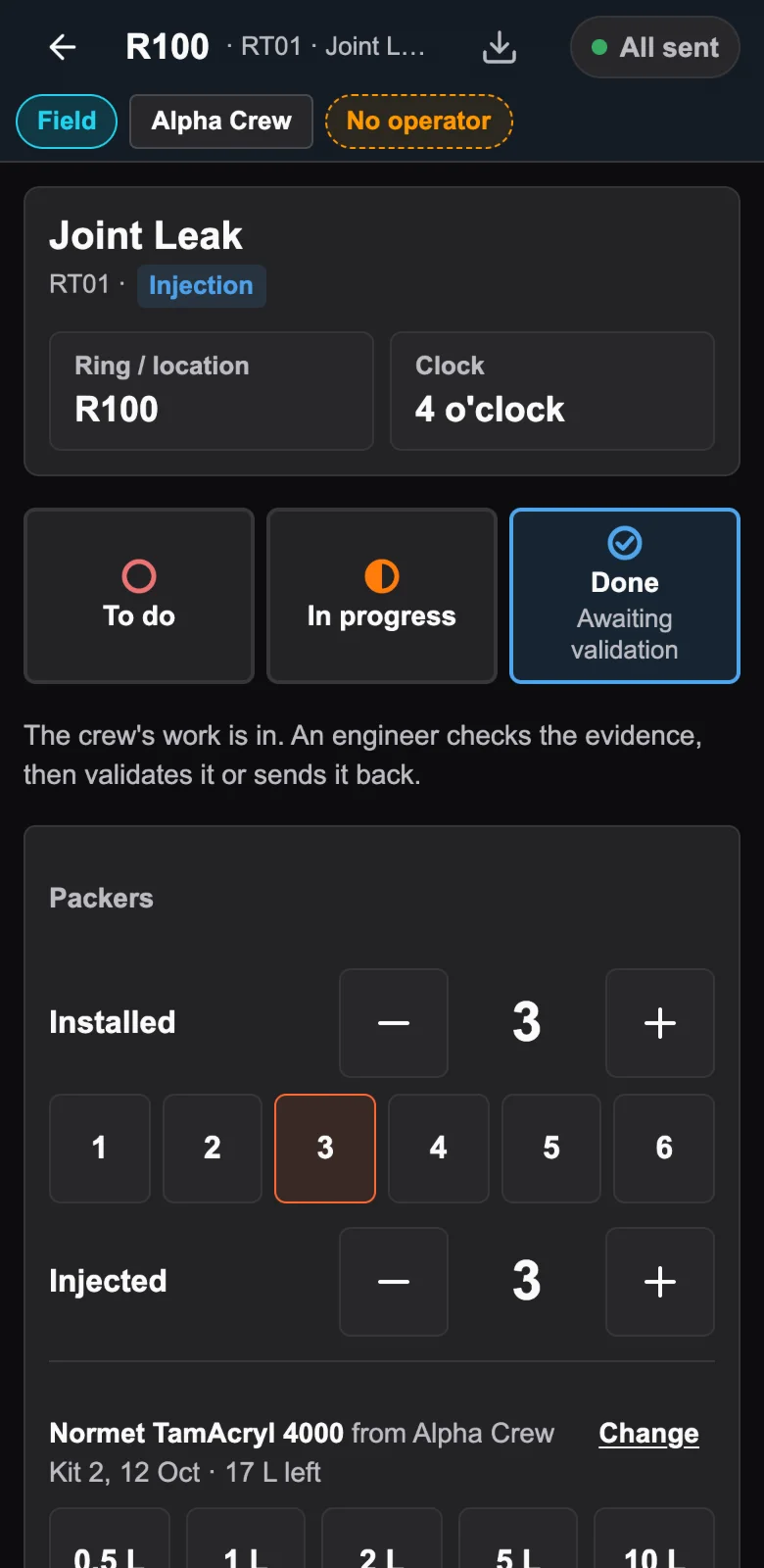
3. Closed with proof
Before and after photos carry their capture time in the image and stay on the defect with its tunnel, ring and clock position. Done only unlocks once the after photo is attached, and the defect then waits for an engineer.
Above ground: the engineer
The engineer does not go down. The evidence comes up, and every close-out waits for a decision.
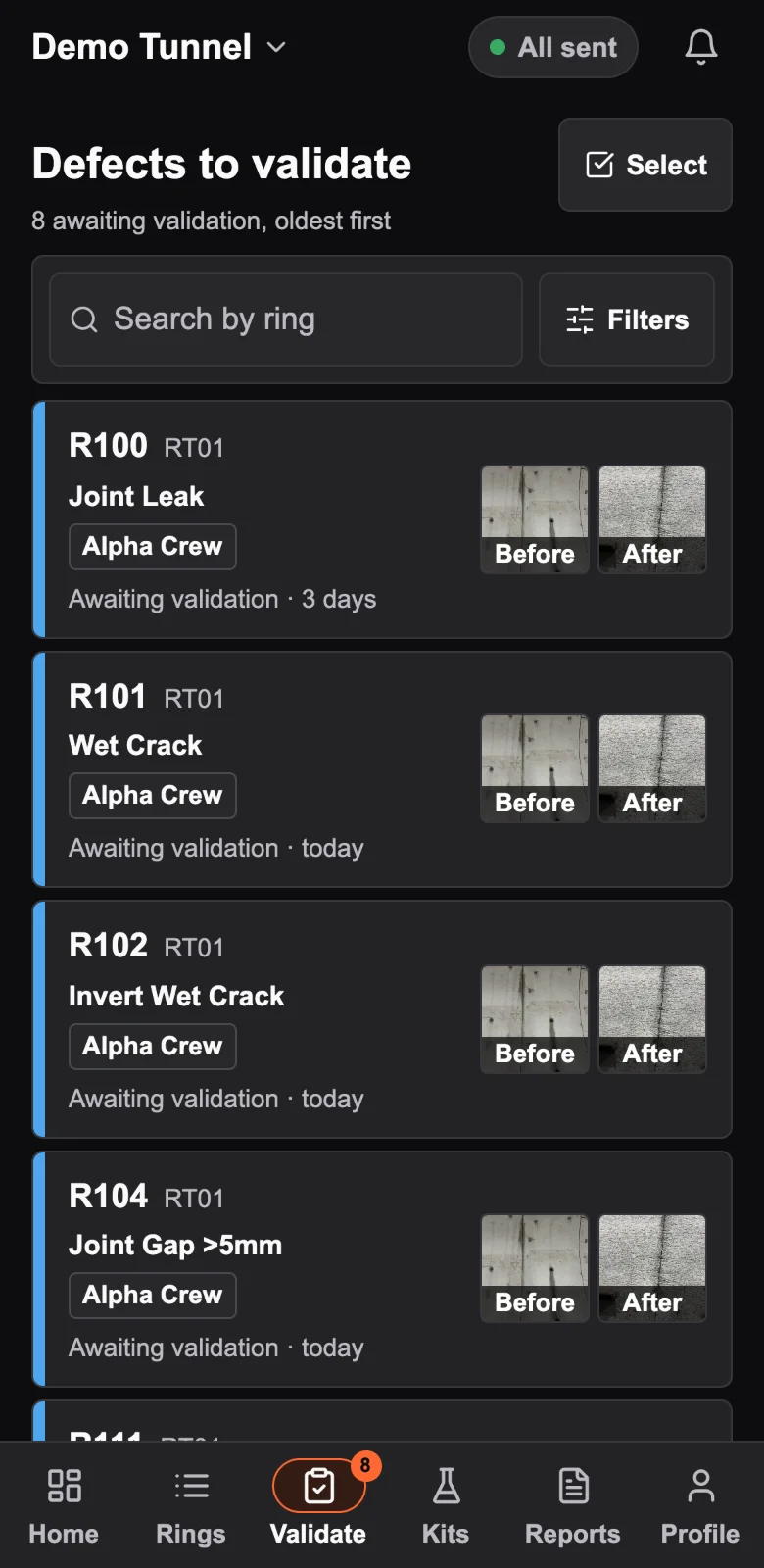
4. The close-out lands in a queue
Oldest first, filtered by tunnel, cross passage, company, work stream or defect type. A defect is only closed when an engineer validates it.
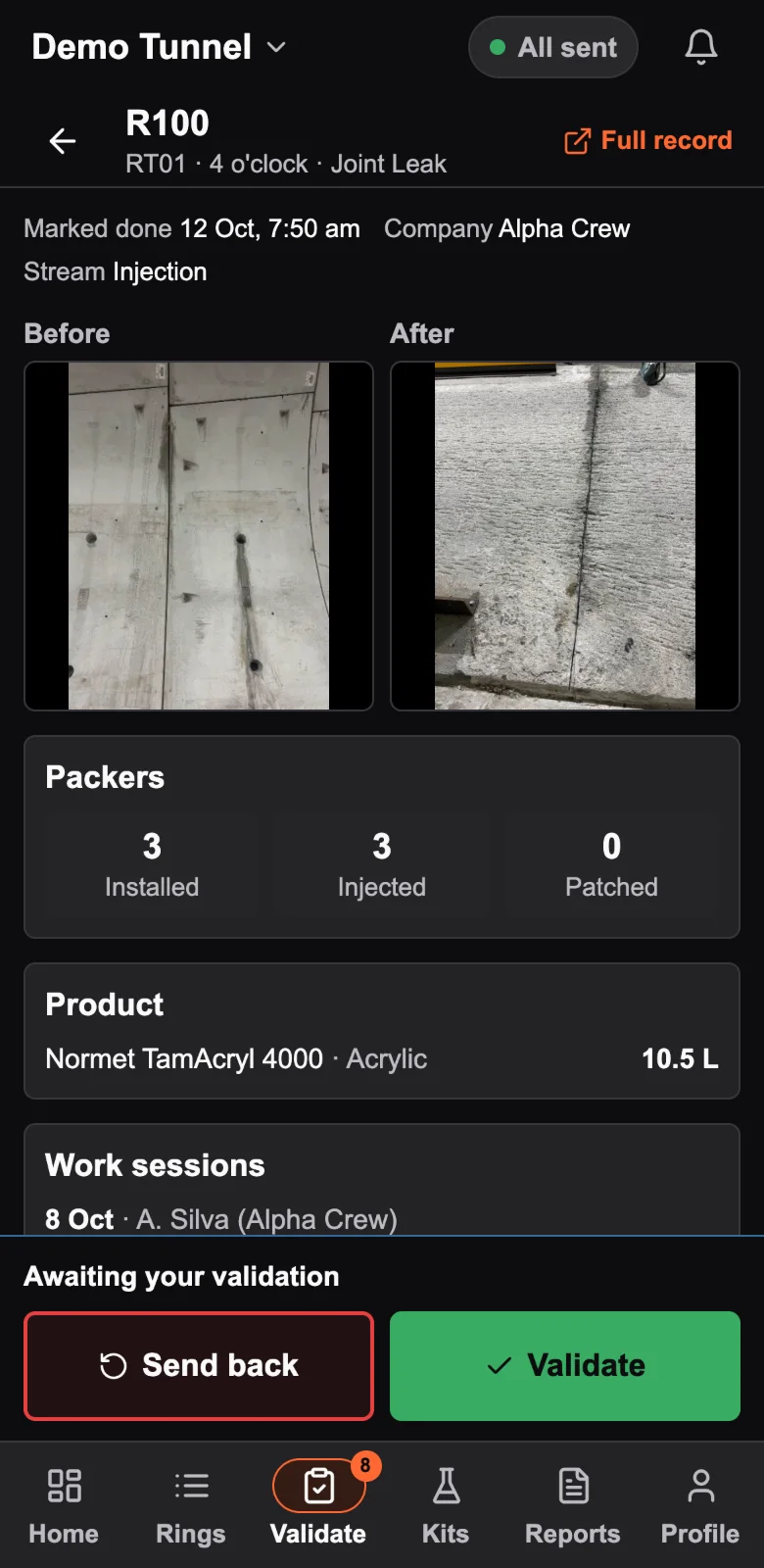
5. The engineer checks the evidence
Before and after photos side by side, with the packers, the litres of product, each work session and the defect's history on one screen.
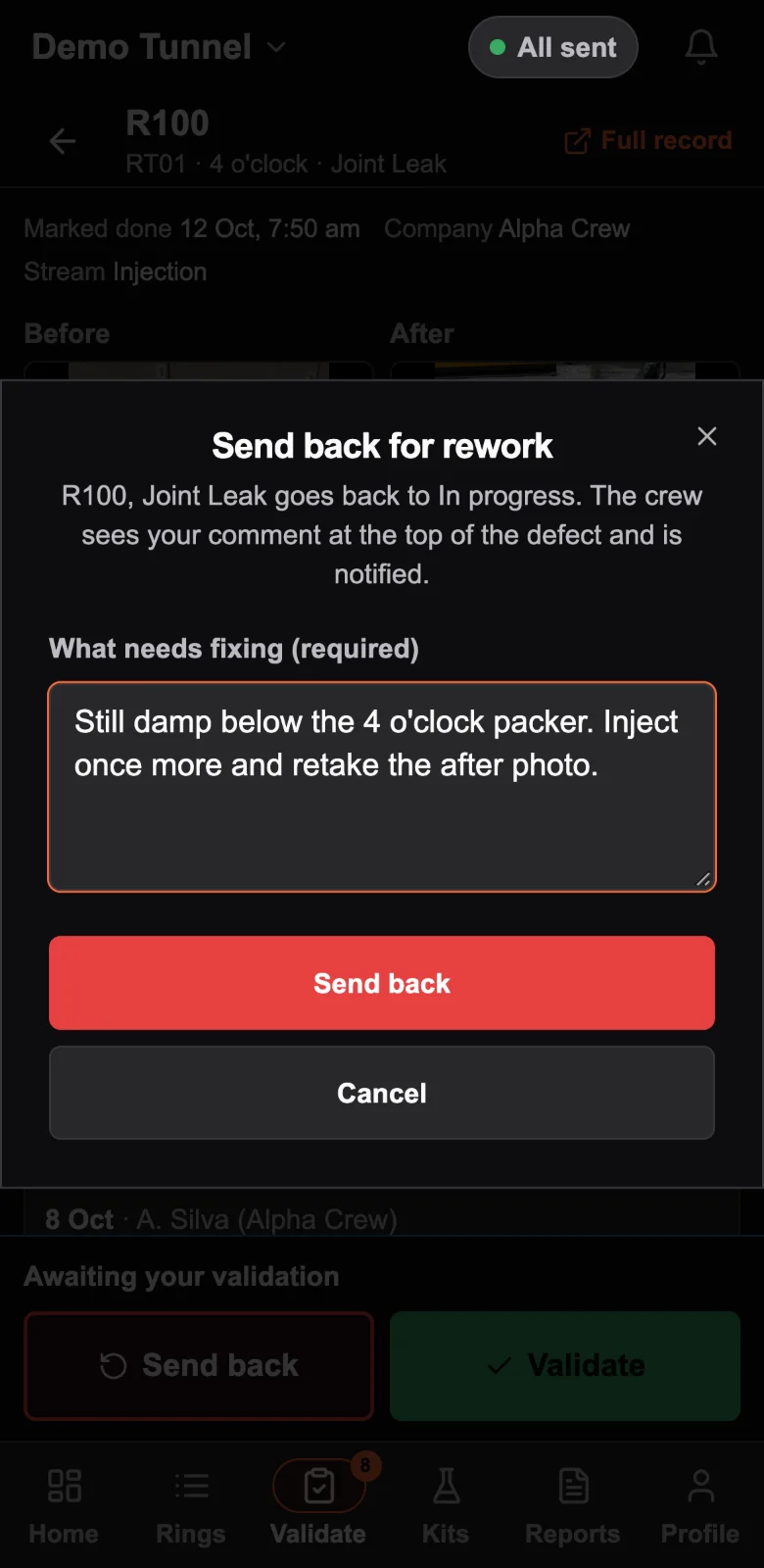
6. Validated, or sent back with a reason
Sending a defect back needs a comment. It returns to in progress, and the crew sees the engineer's words, name and time at the top of the defect until it is done again.
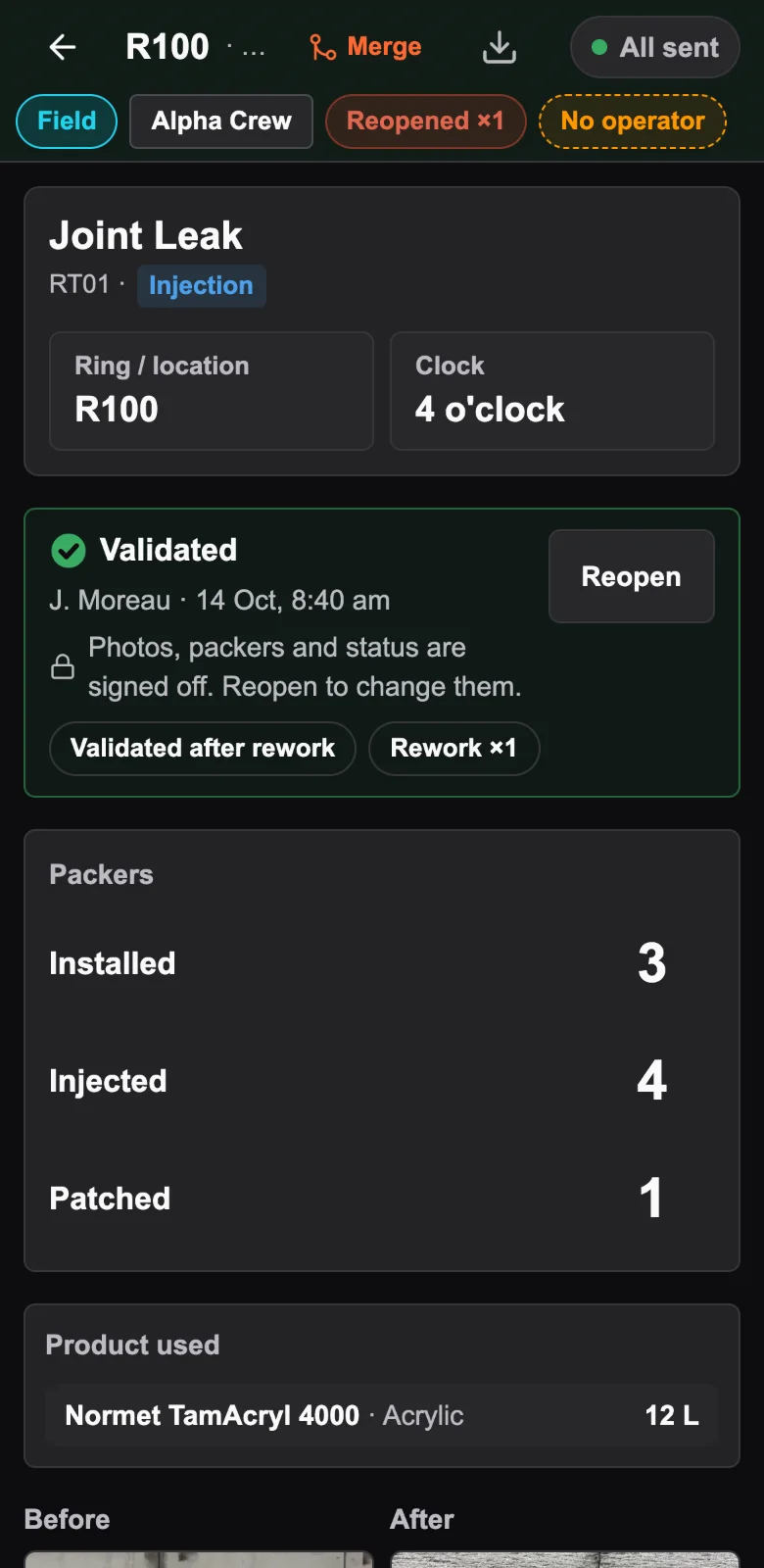
7. The record says how it was closed
Signed off in the engineer's name, with the time: first-time validation or validated after rework, and how many times it went back.
Reports and records
Every defect keeps its own history: who did what, when, and why. Reports are built from the same records.
A daily work record per shift
Ring, clock position, packers, chemical, photo pairs and sign-offs. Export by tunnel, chainage or date.
A weekly report across companies
For the principal contractor: first-time validation and rework rate by company and by crew, week by week.
Reports by email, on a schedule
A project can set who receives reports: the daily records after each shift day, and the weekly report on Monday.
Kits and stock
Every draw from a kit is logged with the litres, ring, clock position, time and person, against the kit's batch. With a stock level set, the app shows the days left and can email engineers a low-stock alert below ten days.
Several companies, one register
Subcontractors work the same register, with the work attributed to each company.
Autodesk Construction Cloud
On Sydney Metro West, defects logged underground appear in Autodesk Construction Cloud as categorised, published issues.
Sharing when someone asks
A day's work can go out by WhatsApp one defect at a time, each with its captioned before and after photos, or as one merged PDF by Mail or Messages. The record itself stays in the app.
Screen recordings
Recorded on Sydney Metro West in mid-2026, before engineer validation was added, so the statuses read To do, In progress and Done. The screens have changed since; the steps above show the app as it is now.
Try it on one heading.
A 14-day pilot with your crew, free. If it hasn't replaced paper by day 10, you walk away with a full export of your data.
Already using DEFECTED and stuck? Support